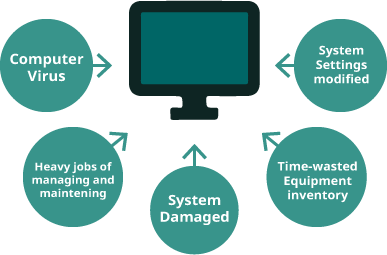
To protect the system environment of the computer, SysReturn provides “System Recovery”, “Image Backup / Restore”, “Rescue CD / USB disk” and “Hard disk Copy”, etc. various convenient system protection tools.
System Recovery
Applying the “Multi-point recovery” protection of SysReturn, users can conveniently and quickly create / delete any of “recovery points”. When the computer problem occurs, the only thing to do is to reboot the computer, which can recover the system status to the appointed “recovery point”. It greatly saves the time of waiting and dealing computer error.
SysReturn also provides the “Folder Non-recovered” function. User can define the specified folder for saving data and keep it from recovery protection. It fulfills the application of system protection and data saving.
Image Backup / Restore
Applying SysReturn “Image Backup / Restore” function can back up the partition(s) of computer or the whole disk into an “Image file”. When the system error is too serious to rescue by “system recovery”, or the disk has damaged which need to be replaced, users can still easily restore back to the status when they backed it up.
SysReturn combines two techniques for fixing system, which is “Instant Recovery” and “Backup / Restore” functions. When doing “Image Backup / Restore” function, it will also backup / restore the protection settings of “System Recovery”, protecting the computer with double defenses.

Rescue CD / USB drive
Create the Backup Manager Tool of SysReturn into a portable “Rescue CD” or “Rescue USB drive”. Users can apply this tool to bring the computer system back to normal when the problem occurs.
SysReturn’s “Rescue CD” or “Rescue USB drive” can not only recover system back to the brand new status, but also protect the installed applications, system settings, network parameters, etc. Recover to the appointed status at the same time.

Local Hard Disk Copy
SysReturn “local hard disk copy” function can effectively copy the disk content on a single PC. (Like a hard drive duplicator)
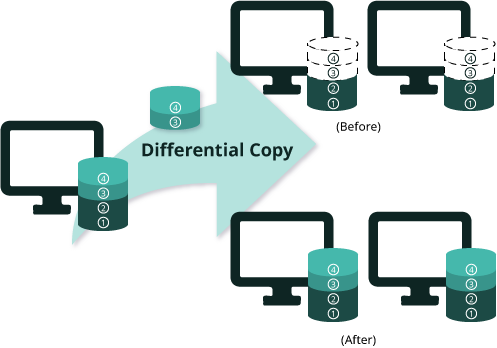
SysReturn “local hard disk copy” function will copy all the created recovery points and supports “differential copy”, which means only copy the CHANGES data size, enhancing the speed of operation. Also, it supports “one to many copy”, copy the disk content from one disk to several disks at the same time.

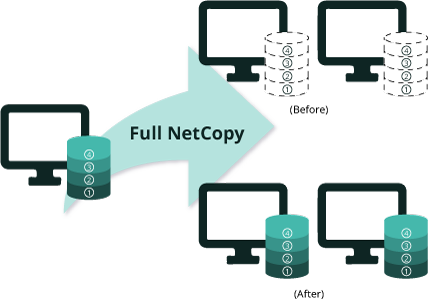
SysReturn’s “NetCopy” function, includes “Full NetCopy” and “Differential NetCopy”. Via network transmission, it can rapidly copy and send the content of the sender PC’s disk to other receiver PCs in the same local network.
Full NetCopy
Completely copy the disk content from Sender PC (some of the partitions / all of the partitions / the whole disk) to the disk of other specific / all receiver PCs in the same local network, and quickly finish the installation of all applications, operating systems, and recovery program.
When doing the large number of PC deployment, the “Network configuration” settings (e.g. IP address, Subnet Mask, Gateway IP, Computer Name, DNS servers, Domain, Windows & Office KMS/MAK activation) of each receiver can be set up from Sender PC before doing NetCopy. After NetCopy, the program will automatically execute the setting value, no need to modify receiver PCs “network configuration” one by one.
Moreover, all created recovery points in Sender PC can also be sent to receiver PCs when performing NetCopy.
Differential NetCopy
SysReturn’s “Differential NetCopy” function send only the “changes” of data from Sender PC to specific/all the Receiver PCs. Without sending the content of the whole disk, it will speed up the process of NetCopy.
SysReturn is able to tell the difference and auto-detect if there are changes be made in the disk, users don’t need to judge the situation themselves.
Multiple-boot System
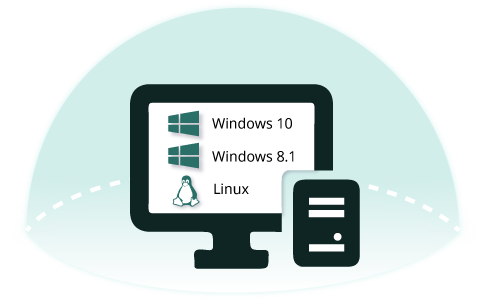
Under specific usage requirement, users can install multiple operating systems (Multiple-boot) on a computer.
SysReturn provides multiple-boot program (Boot Manager, aka BM), which can build multiple-boot system (e.g. Windows / DOS / Linux) structure under the protection of “system recovery”. When computer boots up, users can choose which OS to boot. It fulfills the application requirement of system protection and multiple-boot system at the same time.
LAN / WAN Centralized Management
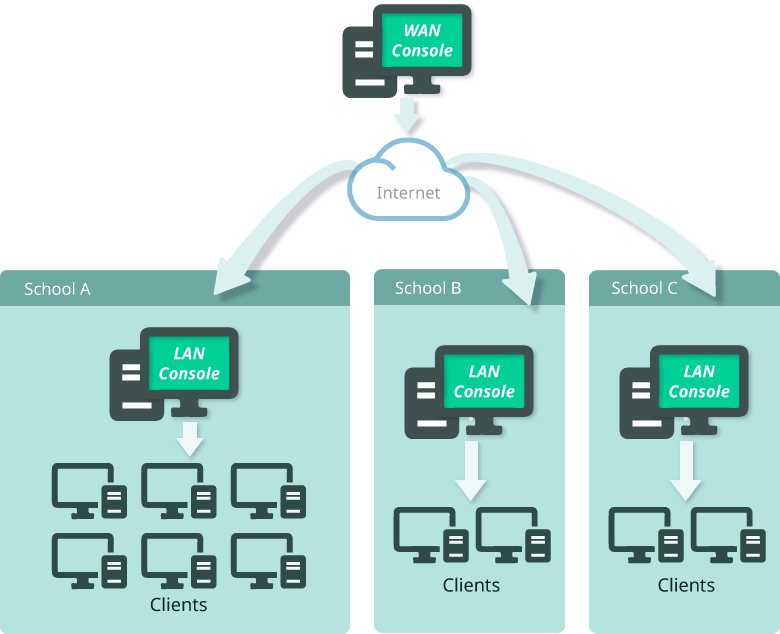
Applying Centralized Management function of SysReturn, IT administrator can easily centralized all the separated and numerous Client PCs to Console program for maintenance and management. Through the “Group Management” feature, the administrator can create different groups for different users which have different properties for executing system maintenance and management to each groups.
Through network connection (supports both LAN and WAN), administrator from Console can execute “System Recovery”, “Remote Control”, “Remote Maintenance”, “Remote Settings”, “Data Transmission”, “Asset Management”, “Backup Manager”, “Device Access Control”, “Power Management”, etc. functions to one / part of / all of the Client PCs. It can rapidly do the maintenance and repair the system for all Client PCs when the problem occurs, also manage the software / hardware devices.